
Mastering Tasks in Neuralist: How to Build Structure That Actually Works
If Neuralist has a center of gravity, it’s the task system. Everything connects to it, from plans and reminders to the way your projects take shape. But tasks in Neuralist aren’t just boxes to check. They’re flexible containers for any kind of work, from a quick note to a full project system.
Start with the basics
Every task in Neuralist is simple on its own but powerful when used together. You can build as much structure as you need.
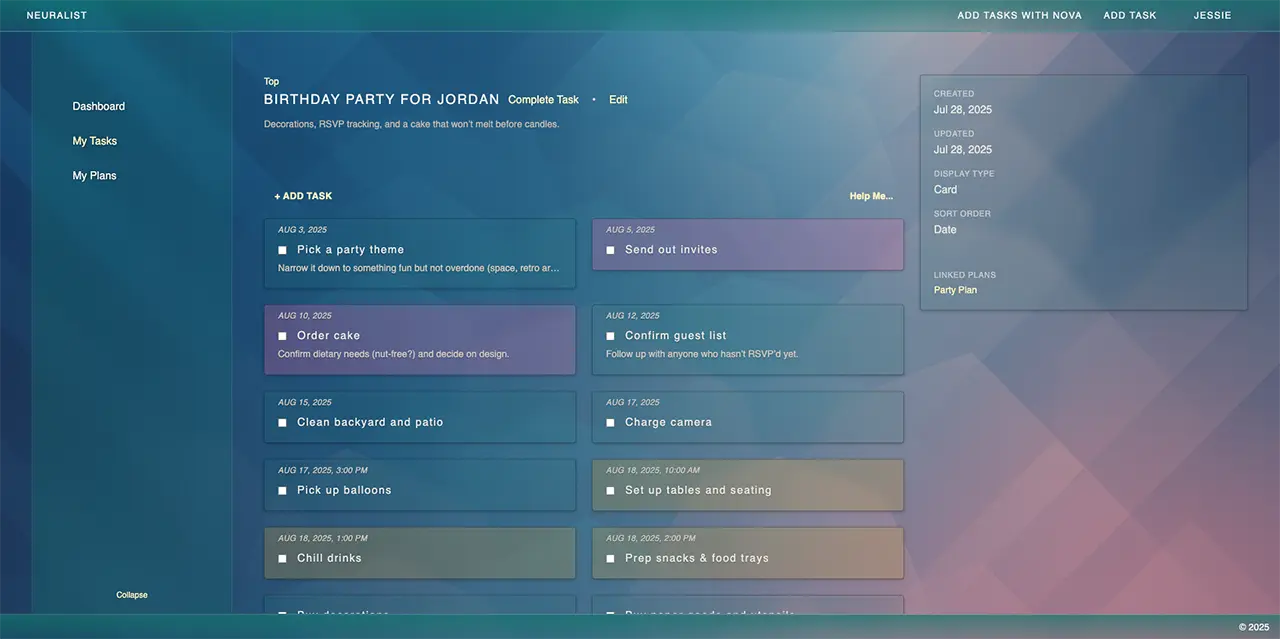
- Nest tasks as deep as you want. Use layers for projects, categories, or multi-step goals.
- Add colors inside a folder. Give them meaning: priority, theme, focus level, or anything that helps you track at a glance.
- Set priorities. The important ones stand out so you can see what matters most.
- Add dates and times. A task can have one date or both a start and end. Anything with a date appears automatically on your unified calendar.
- Add reminders. You can set as many as you like for the same task.
- Capture fast with Quick Add. The button in the bottom-right lets you drop something in before you forget it, then fill it out later.
When you complete a task, it moves to the Completed section of its list. You can always look back without cluttering your main workspace.
Choose how subtasks display
Each parent task decides how its subtasks appear.
- List view keeps things in order and is ideal for checklists or sequential work.
- Card view spreads tasks into blocks, perfect for collections or unordered projects.
If you’re on the Flowstate or No Limits plan, Workspace boards show multiple levels of subtasks in one view. They make it easy to track progress and see how pieces fit together.
Build your own system
Neuralist doesn’t lock you into one method. It adapts to how you already organize.
- Use an Inbox task to collect quick thoughts or ideas before sorting.
- Make top-level projects with subtasks for steps, milestones, or deliverables.
- Create reusable templates. Keep a folder of workflows you repeat often and duplicate them when needed.
- Organize by context. Group tasks by area of life or work style, such as Work, Home, or Deep Focus.
Once your structure is in place, the Calendar ties everything together. Every start date, due date, and reminder flows into one clear view.
Flexible by design
Tasks in Neuralist are designed to match the way you think. Whether you prefer a clean list or a full project map, you can build a workspace that stays calm and intuitive.
In the next post, we’ll explore creative ways people use tasks, from habit tracking to journaling and beyond.